Where the position is weakest
Ranked points to work through, with the other side’s argument and a possible answer.
Cortega Legal
Cortega helps you research, compare documents and prepare drafts for review. See the supporting passages, weaknesses and unresolved questions alongside the work, so you can make the legal judgment.
1,743 public Harvey LAB tasks
October 2026 · Graded by Cortega
Quality built into governance
You need specific evidence and useful criticism, not agreement with your premise. Cortega checks for missing work, unsupported claims and weak citations, and presents the points that need your attention. You choose the task, review the evidence and decide what goes into the final work.
Read the matter documents and use connected research sources. Keep the passages behind each point.
Where enabled, independent drafts surface different points. A merge brings the supported work together.
A separate review checks for omissions and incomplete work. Models can take different roles through Cortega’s governed routes.
Check document quotations and available citation records. Show missing evidence and verification status for the lawyer’s review.
Explanatory workflow. Checks and research sources depend on the tool and configuration; a source match does not establish a legal conclusion.
The workflow reads the underlying file, follows relevant sources through connected research tools, compares competing positions and reviews what the draft leaves out. Research access depends on the practice’s connectors. Unavailable sources and unresolved authority checks remain visible.
Measured results
The October 2026 evaluation covered 1,743 public Harvey LAB tasks. The score measures the Cortega workflow against the task rubrics.
Source checks and revision help identify material that needs attention. The benchmark did not measure lawyer time saved; a practice pilot should measure total time through final review.
Read the results and method →of rubric criteria met
1,743 public legal tasks
Read results and limits →Automated grading by Cortega, before the separate citation check. Criteria met does not measure lawyer acceptance or time saved.
How it works
Review sample results for arguments, witnesses, discovery, documents and deadlines.
Write the opposition to a motion. Check the argument against the record, then work through the weaknesses and what is still unknown.
Stress test · Motion test · Expert pressure test · Suppression test
Explore this workflow →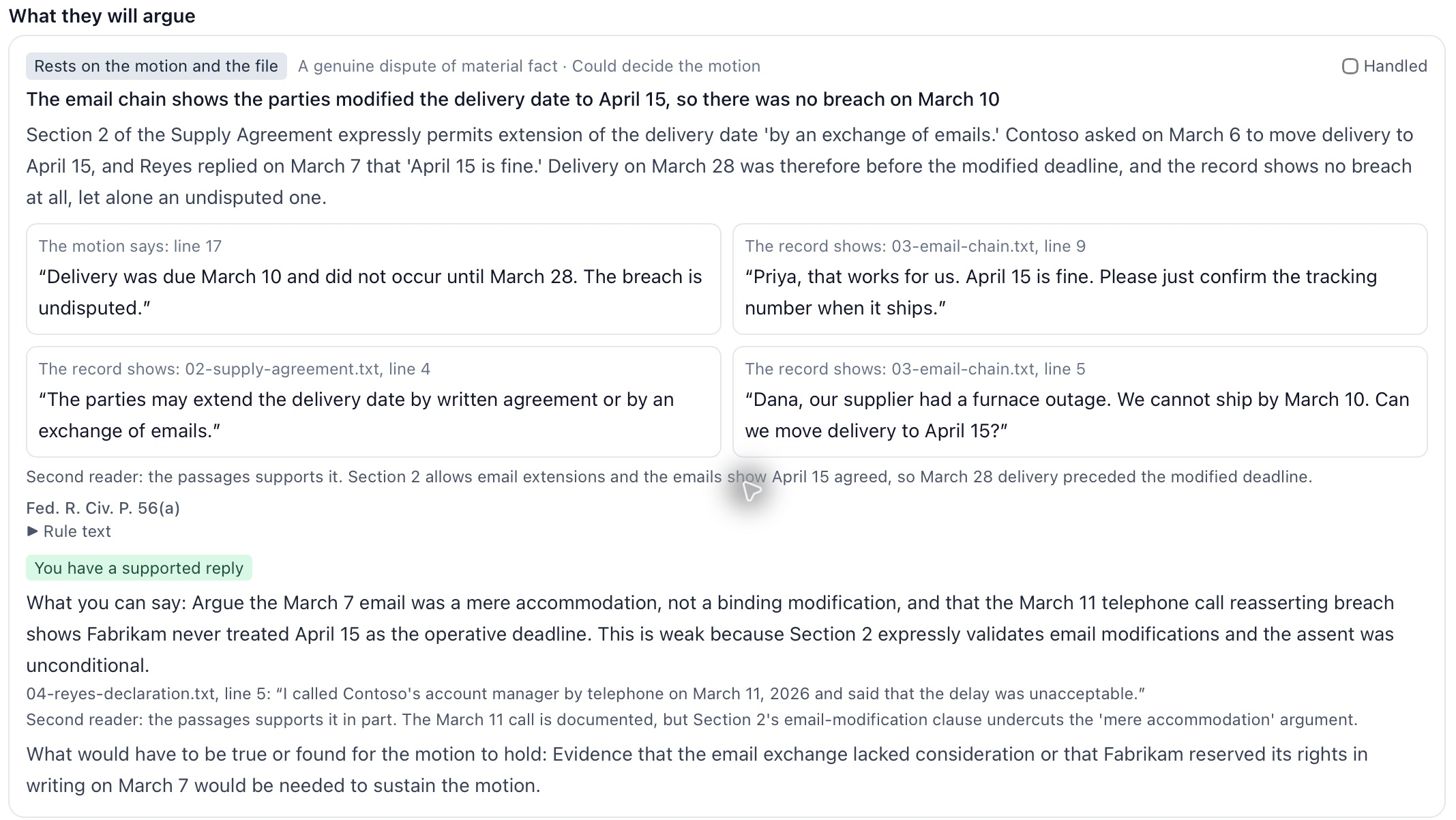
Compare a witness’s statements with the file. See the conflicting passages and the questions those conflicts raise.
Impeachment map · Cross-examination · Practice room · Government interview
Explore this workflow →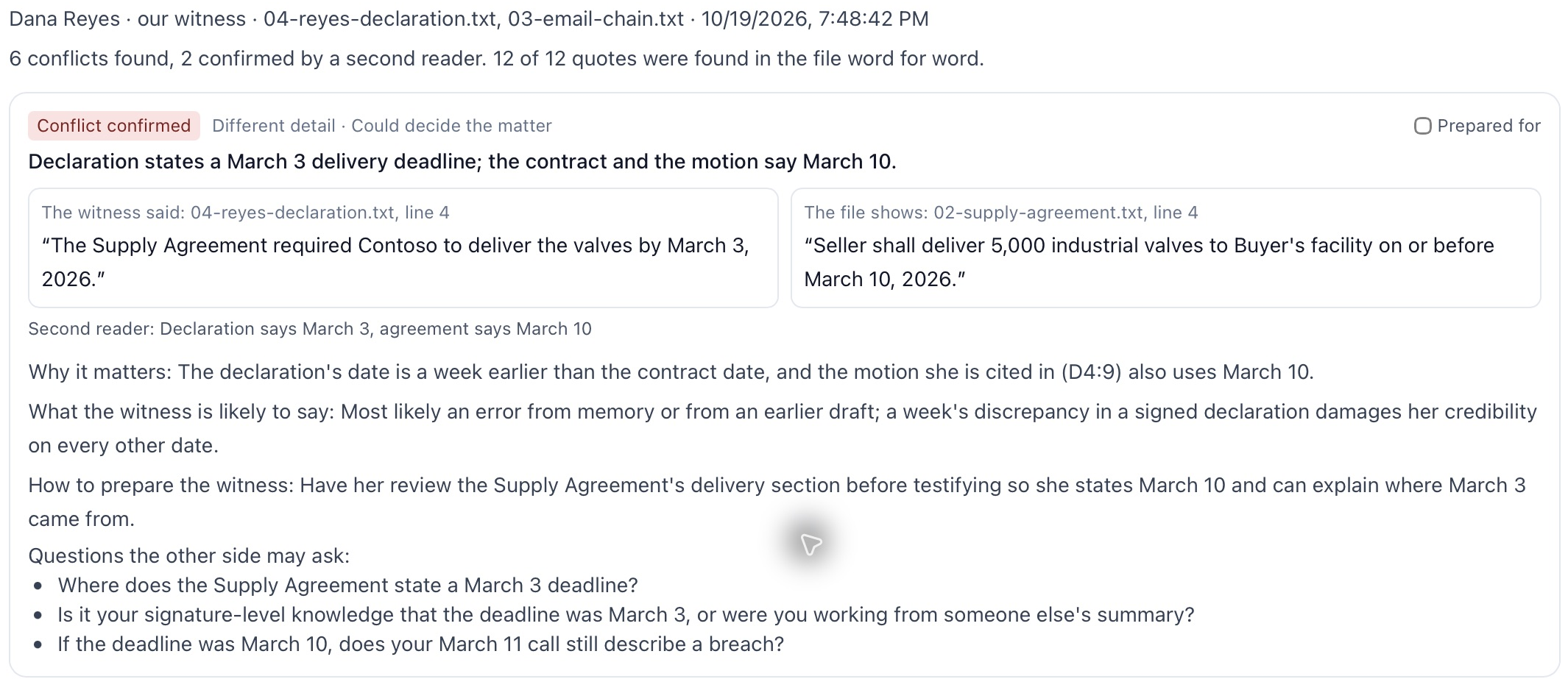
Examine requests and rulings. Review objections, supporting rules, production duties and possible replies.
Discovery objections · Appeal map · Ready to file?
Explore this workflow →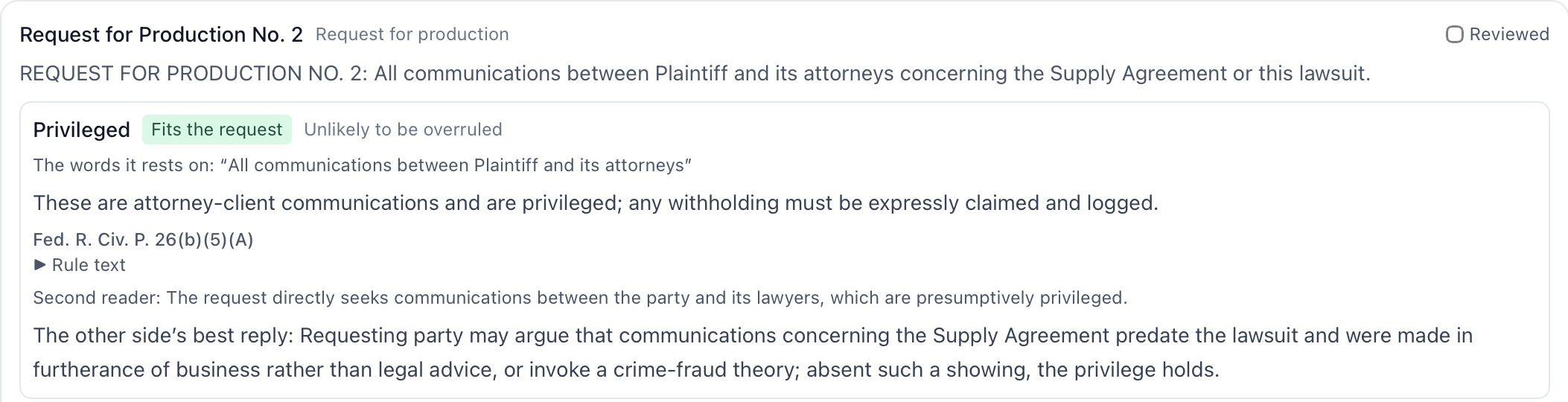
Read the relevant documents together. Identify conflicting terms, rights, duties, dates and information the file does not establish.
Lease map · Estate plan map · Property map · Intake review
Explore this workflow →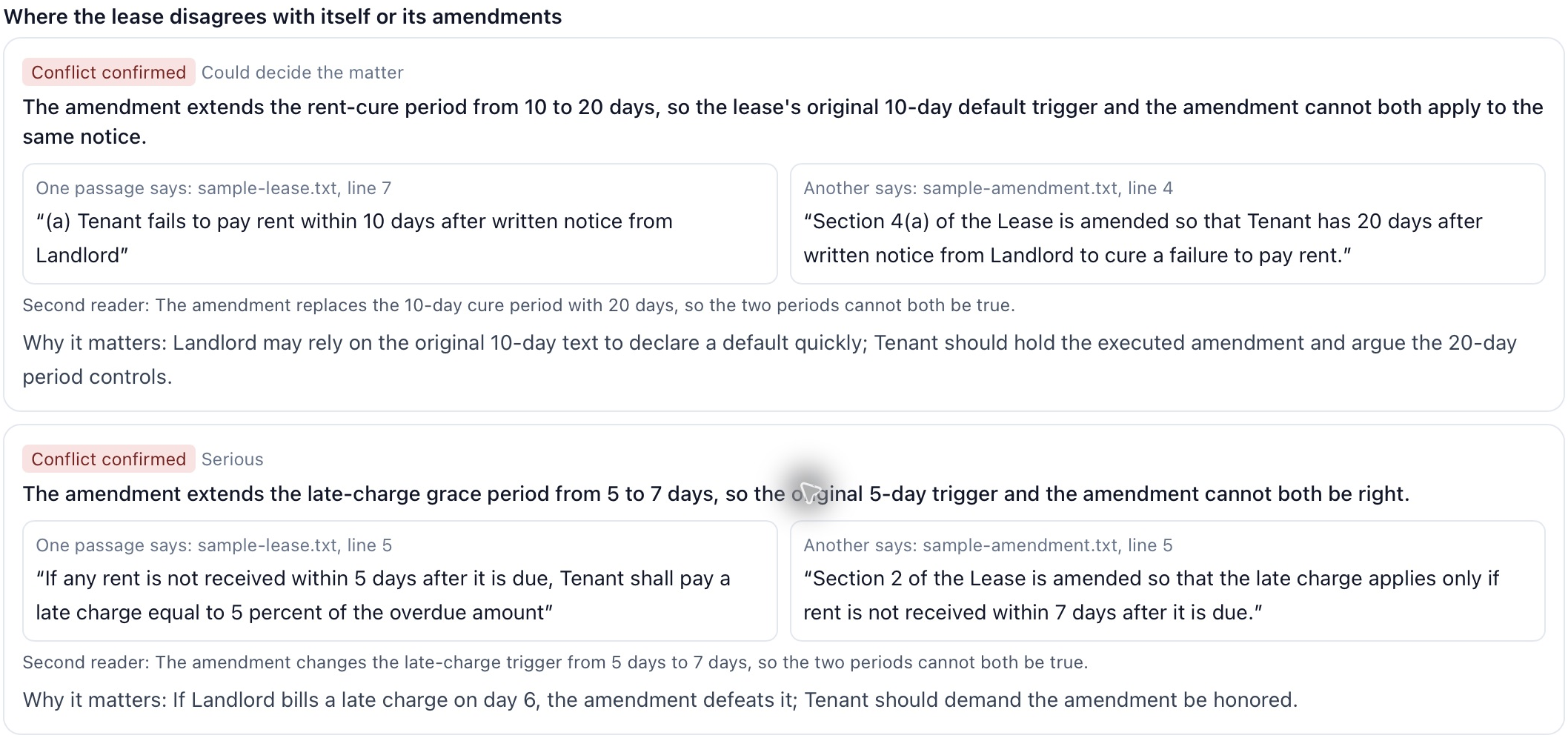
Keep civil deadlines and the federal speedy-trial clock in separate workflows. Review the court, source rule and consequence of a missed date.
Civil deadlines · Federal speedy trial clock
Explore this workflow →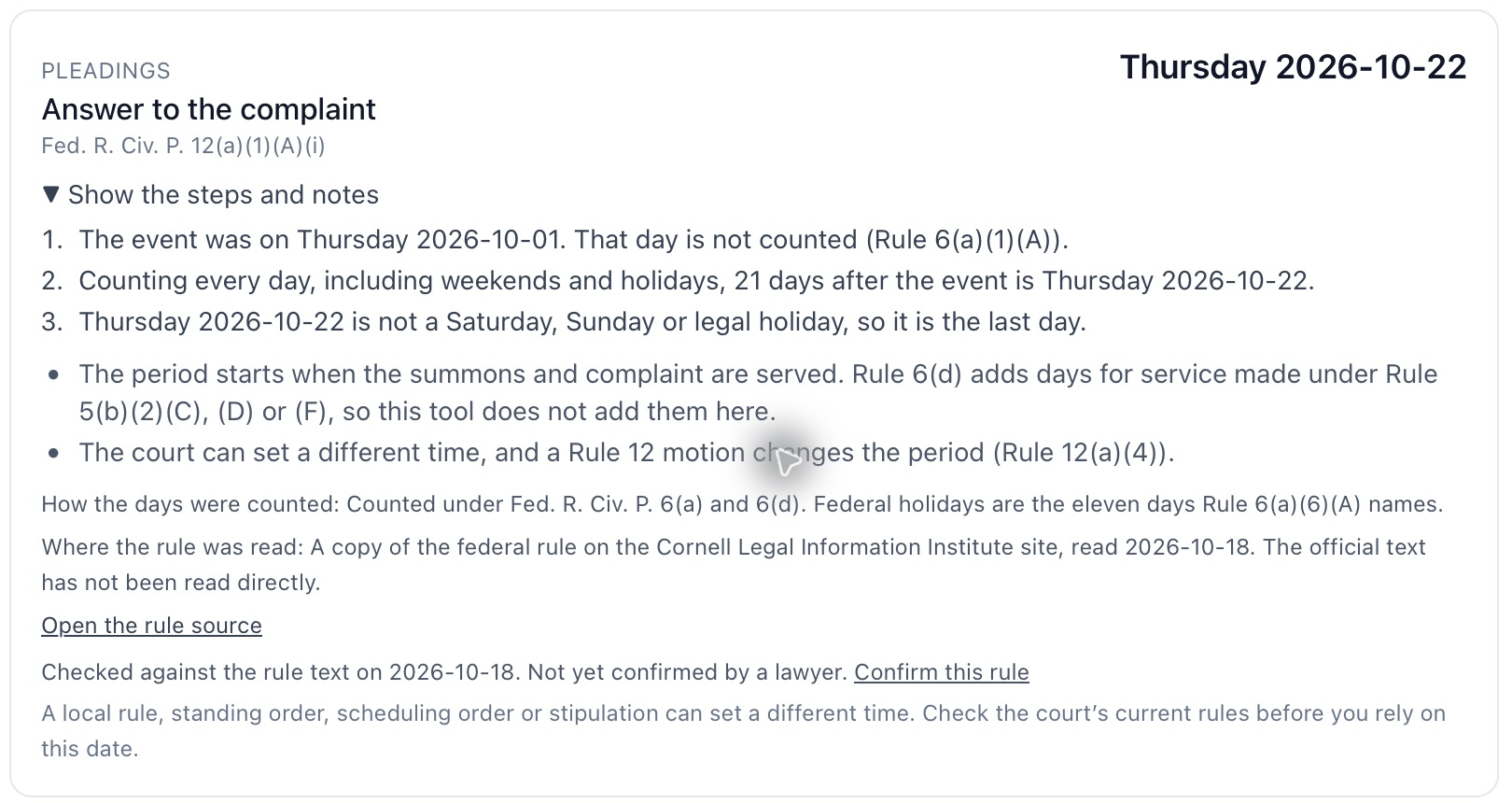
These are actual application views using invented sample documents. Results are research aids for a lawyer to review. Authorities are labelled with their verification status. Document quotation matches do not establish that a legal conclusion is correct.
What the review gives you
Ranked points to work through, with the other side’s argument and a possible answer.
The source quotation and document line, so the lawyer can examine the record.
Missing facts, unread material and unresolved points remain visible.

Dedicated practice environment
Use your firm’s logo, web address and contact details. Choose a separate private data store or a completely separate physical environment.
Practice context
These document tools have narrower scope. Each practice page states the relevant rule and statute gaps.
Also in the workspace: matter documents, Word redlines, citation checking and privilege review →
Research
Questions
Inspect the source quotation, document line, citation-check status and unanswered questions. Cortega combines drafting and review with these checks. The lawyer still assesses the facts, current law and conclusion before using the answer.
Civil deadlines cover federal, D.C., Maryland and Virginia cases. The rule-based tools identify the text they read and their gaps. Coverage varies by tool: selected Maryland discovery rules are included, while Maryland motion, expert and appeal packs have gaps. Each practice page lists the source status.
Yes. Use private models inside the practice network, foundation models, the practice’s provider keys or a combination.
No. Results are research aids. The lawyer checks the facts, authorities and conclusions and decides what to argue or file.
Cortega Legal