What you provide
Select the court and event, enter the trigger date and provide the additional dates the chosen calculation requests.
Solutions
Use the civil deadline calculator and federal speedy-trial ledger as separate workflows. Review the trigger, source, inputs and limits behind the displayed date.
Choose the tool
Select the court and event, enter the trigger date and provide the additional dates the chosen calculation requests.
The calculated date, counting steps, source rule, notes and the consequence recorded for a missed deadline. Rule-check and lawyer-confirmation status are visible.
Review the selected event before relying on its date. A different service method, court order or additional trigger may change the calculation. The result explains what was counted and identifies information the selected rule still needs.
Practice context: Civil litigation →
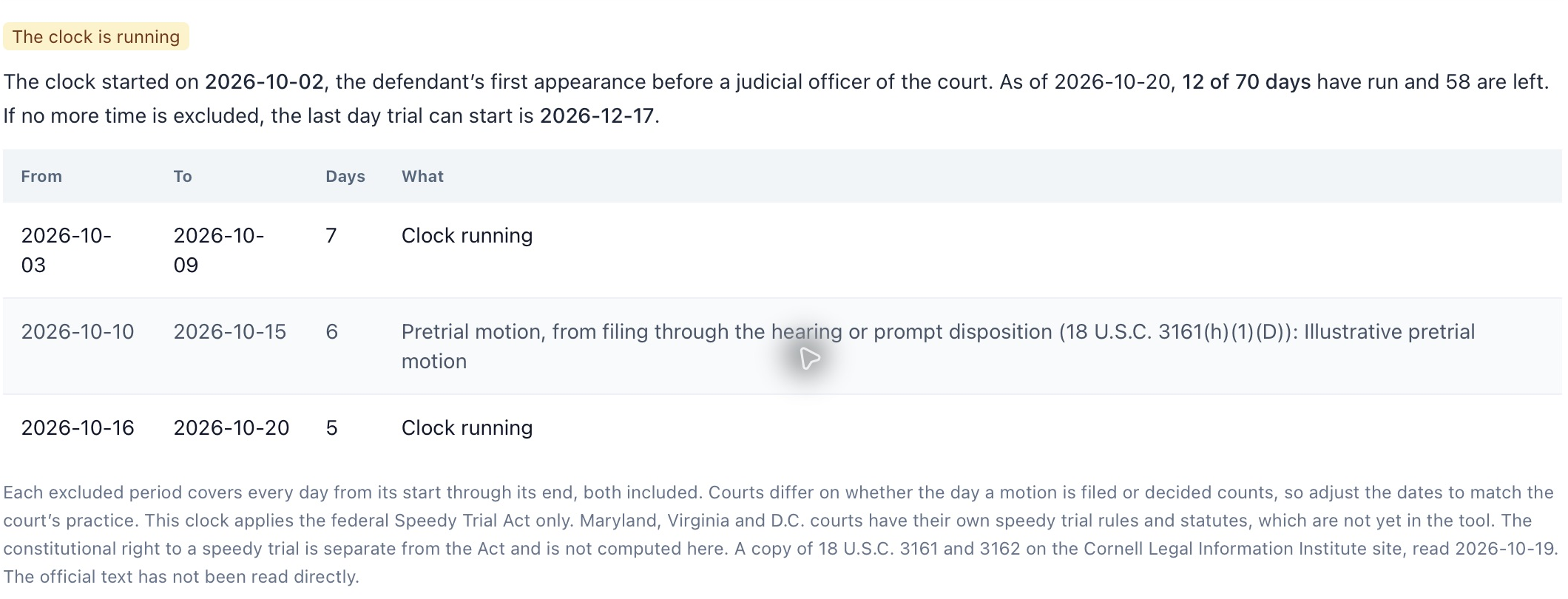
Enter the charge and first-appearance dates and each excluded period with its type, dates and a note explaining the event.
The federal count, elapsed and excluded periods, days remaining and a projected last trial-start date based on the supplied ledger.
The ledger makes the input assumptions inspectable. A missing period or an incorrect boundary changes the count. The tool addresses the federal Speedy Trial Act; state speedy-trial rules and the separate constitutional inquiry require their own review.
Practice context: Criminal and enforcement →
A result, step by step / Invented sample dates
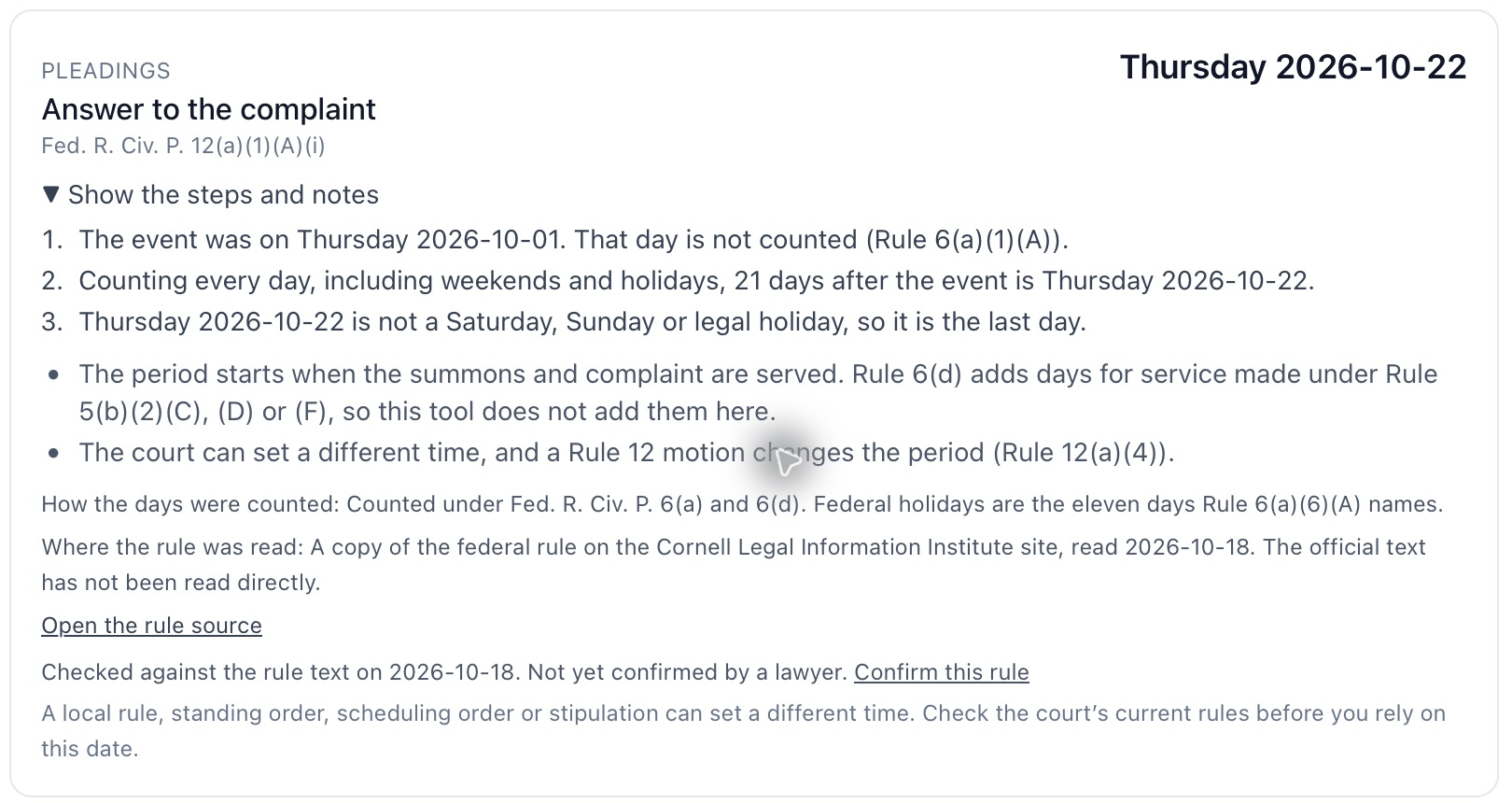
The civil example selects service of a summons and complaint in federal court and enters October 1, 2026 as the event date.
The displayed sample result is October 22, 2026. The view identifies Rule 12(a)(1)(A)(i), the counting steps and the source-reading date. This illustrates that selected calculation; it is not a general deadline for every response.
Confirm service, any motion or court order and the applicable local requirements. Use the separate federal speedy-trial tool for its own charge, appearance and exclusion ledger. The deadline tools have their own review controls rather than the attack tools’ handled-item list.
Where this fits in a matter
At intake, after service or an order, and whenever a new triggering event occurs.
As federal charges and appearances occur and whenever an exclusion starts or ends.
Questions
Select the court, supported event and actual trigger date. Supply additional dates when requested by the calculation. Check service, orders and local rules before using the displayed date.
It calculates a selected federal statutory ledger from charges, appearances and exclusions. It does not compute state speedy-trial rules or the separate constitutional analysis. Counsel reviews the events, exclusions and applicable law.
It records when the selected source text was read for the tool pack. It does not establish that every rule or later order is covered. Review the result’s source and gaps before calendaring.
Cortega Legal
Discuss the documents, the work and the practice’s deployment.