Send a contract. Get the review back.
Email it, message it in Teams, or open it in Word. Cortega checks the contract against your rules, lists the deadlines and writes a summary for the business. You decide what goes back.
 In TeamsScroll the conversation
What changed in Northwind’s draft, and does it break our rules?
Northwind-MSA-v1.docx Northwind-MSA-v2.docx Our-playbook.docx
Three changes break your rules.
1. Clause 9: the liability cap is gone. Edited with tracked changes off.2. Clause 5: the residuals clause is wider.3. Clause 14: renewal moved to 24 months.Each clause is quoted. Open them and decide.
When is notice due, and does the price change?
Notice is due 30 September, 90 days before the 29 December renewal. The price rises 5% on renewal.
Both are on your Deadlines page for you to confirm.
Northwind-dates.icsWrite a short summary for Sales.
Northwind renews on 29 December for 12 months at a price 5% higher. To end it, notice is due 30 September. Sales should decide by 15 September. Read it, then send it on or edit it.
Mark up their draft with our fallback wording.
Done. Each change is tracked in Word, and each comment names the playbook rule behind it.
Northwind-MSA-v2-marked.docxExample. Names and documents are invented.
 In WordThe file it sends back
5. Residuals. Either party may use anything its staff remember. Residuals exclude technical know-how and trade secrets.
9. Liability. Liability is not limited. Each party’s total liability is capped at the fees paid in the 12 months before the claim.
14. Renewal. This agreement renews for 24 12 months unless notice is given 90 days before.
It opens in Word with every change tracked. Each comment names the rule behind it. Accept or reject as you would from a colleague.
Or sign in and work there
In CortegaThe matter chat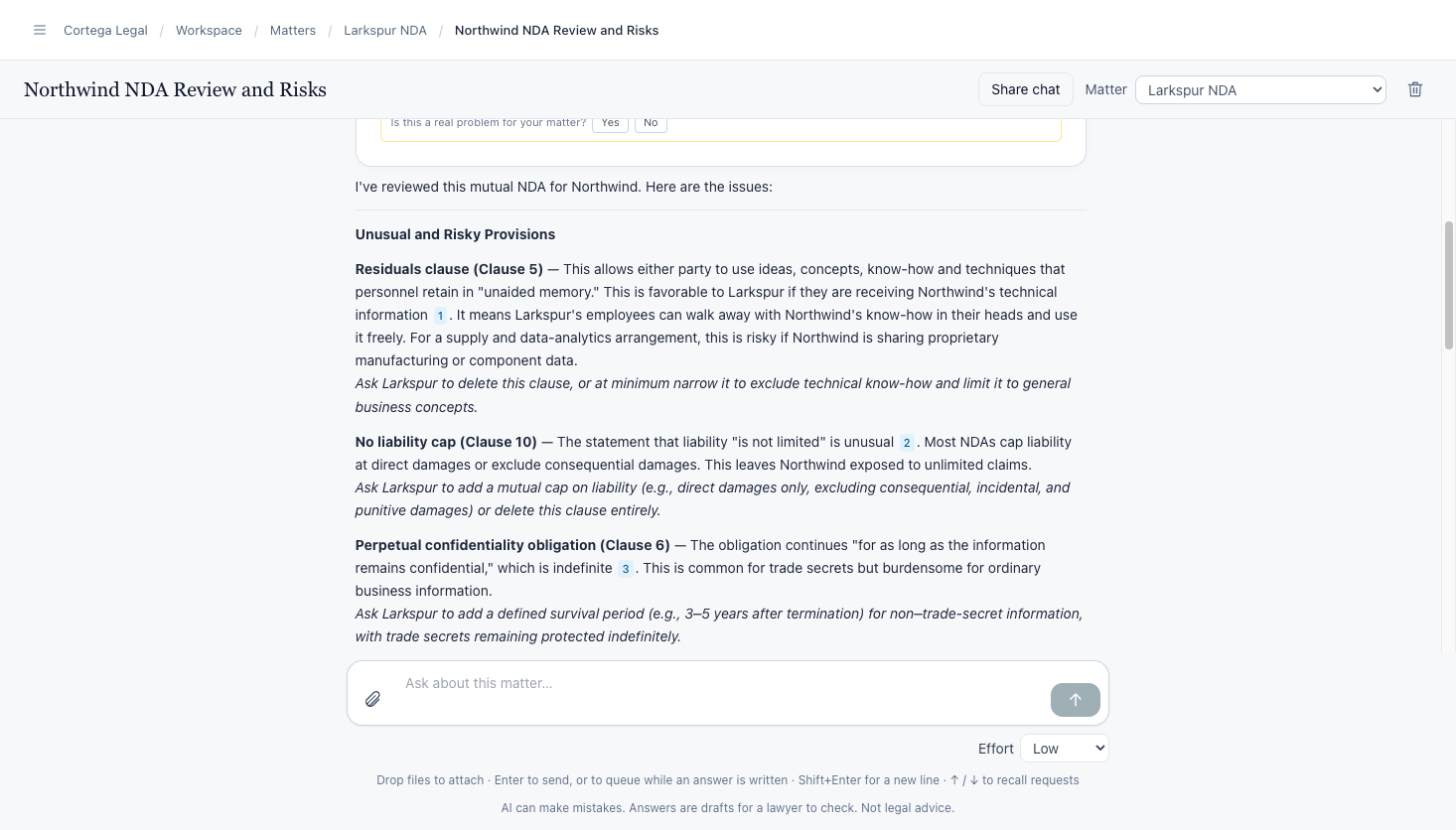
Review a contract in the matter chat. Each issue names the clause and says what to change.
In CortegaDeadlines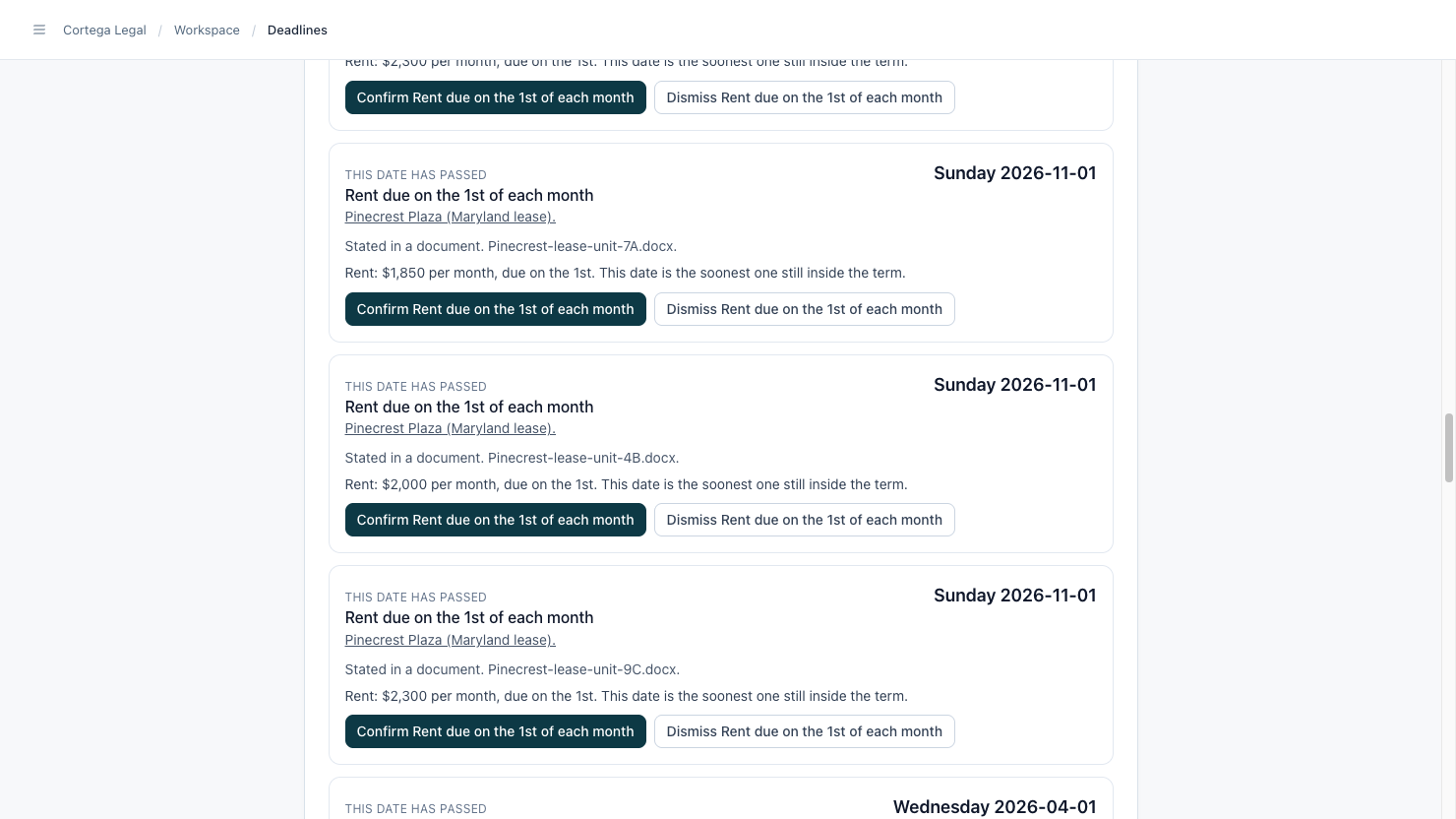
Confirm every date on one page. Each one names its document, and you confirm or dismiss it.
See what the other side changed
Add the draft they send back. Cortega compares it with yours clause by clause, including edits Word did not mark, and says what each change means for you.
- Clause by clause
- Unmarked edits found
- Playbook rules that moved
Never miss a notice window
Renewal dates and notice periods are read from the contract. The last day to send notice is counted by the app, and each date waits on your Deadlines page for you to confirm. Send the stack of expiring contracts at once and get one list.
- Renewals
- Notice deadlines
- Price increases
- Calendar file
 Signed copies from DocuSign
Check every contract against your playbook
Write your rules once, or start from ours. Every contract is read against each rule. A failed rule shows the contract's own words and your wording to put in.
- Starter playbooks: vendor, customer, NDA, DPA
- Learns from signed agreements
- Risk level on each rule
- Fallback wording
- Review in Word
A summary the business can read
Cortega writes a short summary for people who are not lawyers: what the contract says, what to watch and who has to act. Read it first, then send it on as it is or edit it.
- Plain words
- Key dates
- Who acts
Take requests from where the business works
Colleagues ask in Teams, email, Slack or a form. Cortega asks for what is missing, gives the request an owner and a due date, and sends your answer back to them privately. Your admin sets who can send by asking Cortega in Teams, for example “Let anyone at our domain send contracts.” It repeats the change and asks for a yes before it acts.
- Teams
 Outlook
 Slack
- Request types
- Owners
- Due dates
Ask what you agreed before
Ask what liability cap you have agreed with vendors. Cortega reads your other contracts and answers with counts, and every number links to its clause. Run one set of rules across hundreds of contracts.
- Clause library
- Counts that link to the clause
- One rule across hundreds of contracts
The areas an in-house team covers
Employment
Check offers, separation agreements and restrictive covenants against your positions.
- Offers
- Separations
- Covenants
- Integration
Privacy
Count request and breach clocks, keep a list of systems and subprocessors, and compare regimes.
- Request clocks
- 72-hour breach clock
- Subprocessors
- Regimes
Competition
Check proposals and partnerships against your policy, with a risk assessment.
- Policy check
- Risk assessment
- Training
- Committee report
Regulatory
Turn a regulation into controls, then check vendor contracts against it.
- Obligations
- Controls
- Vendor rules
- Across contracts
Patent work, for teams with a portfolio
Draft checks
Claims, figures, reference numerals and antecedent basis checked in a draft application.
Claim charts
Chart a patent against a product, with the passages quoted.
Novelty check
Search for prior art, and for patents in force that a launch may meet. Each result states its limits.
Patent dates
Prosecution and maintenance dates, and patent term, on your Deadlines page.
- US patents 2017 to 2026
- Office action responses
- File history
The tools your team already uses
- Microsoft Teams
- Outlook
- Microsoft Word
- Slack
 SharePoint
 OneDrive
 Google Drive
 Dropbox
- DocuSign
Your clients' data stays yours
A private, dedicated database
Every practice has its own private, dedicated database. Nothing is shared with another practice.
Separate, encrypted storage
Your documents are kept in storage that belongs to your practice alone, and they are encrypted.
Never used for training
No data, documents or queries are used to train anything.
No data retention
We use models in AWS Bedrock, or from providers that do not keep what they are sent and do not train on it.
Encrypted
Your data is encrypted in transit and at rest.
Run it in your own cloud
License Cortega and run it in your own cloud account, in your VPC or on premises.